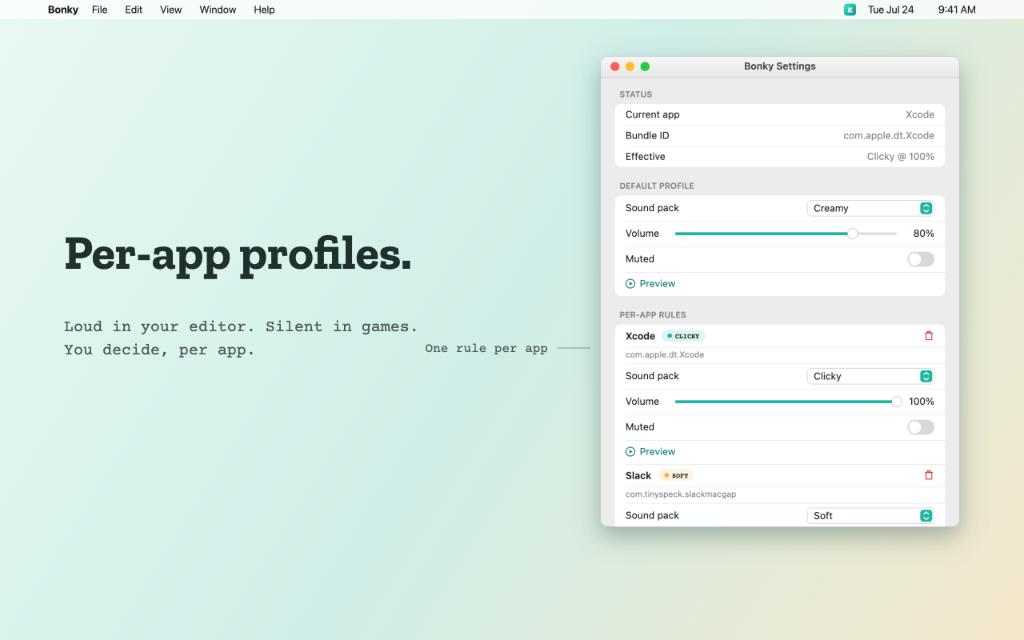
Per-App Profiles
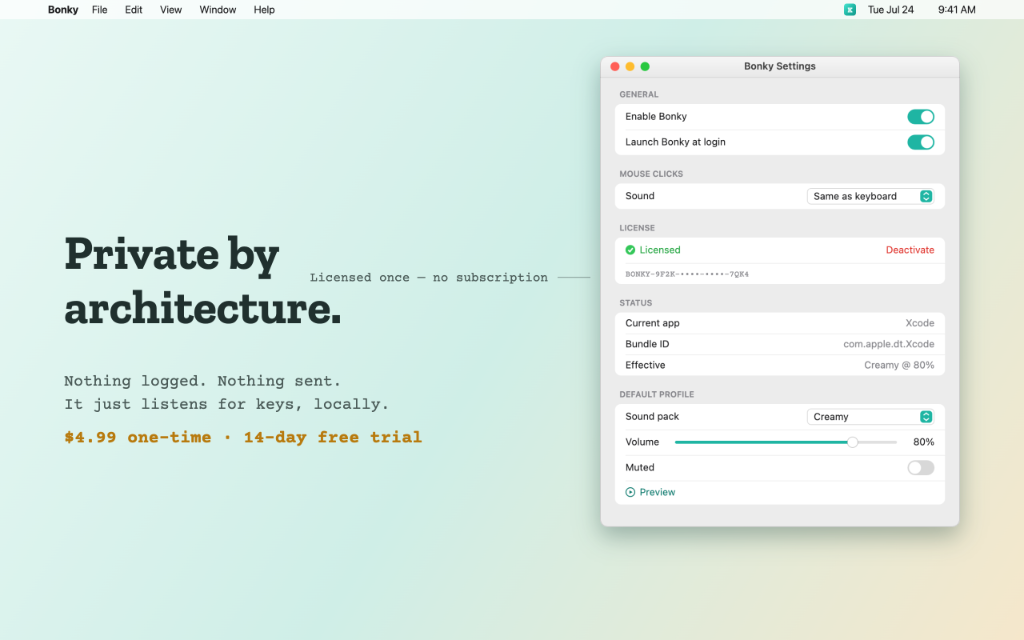
Configure different sound packs and custom volume values per application. Enjoy thocky clacks in your terminal and soft silences in browsers.
Mechanical keyboard sounds for your Mac, with a brain.
Bonky turns every keystroke on your Mac into a satisfying mechanical keyboard sound — with near-zero latency and 12 hand-tuned sound packs. Unlike other click apps, Bonky is context-aware: it knows which app you're in and automatically shuts up on video calls, screen-shares, and when your mic is live. Lives quietly in your menu bar. Your keystrokes are never logged or sent anywhere.
Select a pack and type on your physical keyboard to hear the sound, or click the virtual keys below.
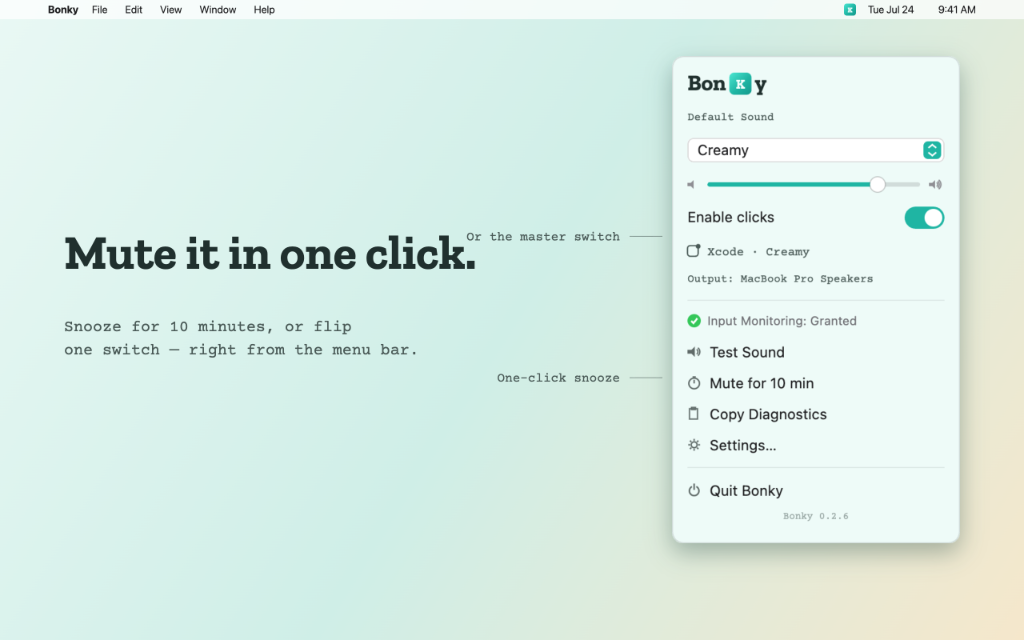
Take a tour of Bonky's menu bar app, per-app sound rules, and context controls.
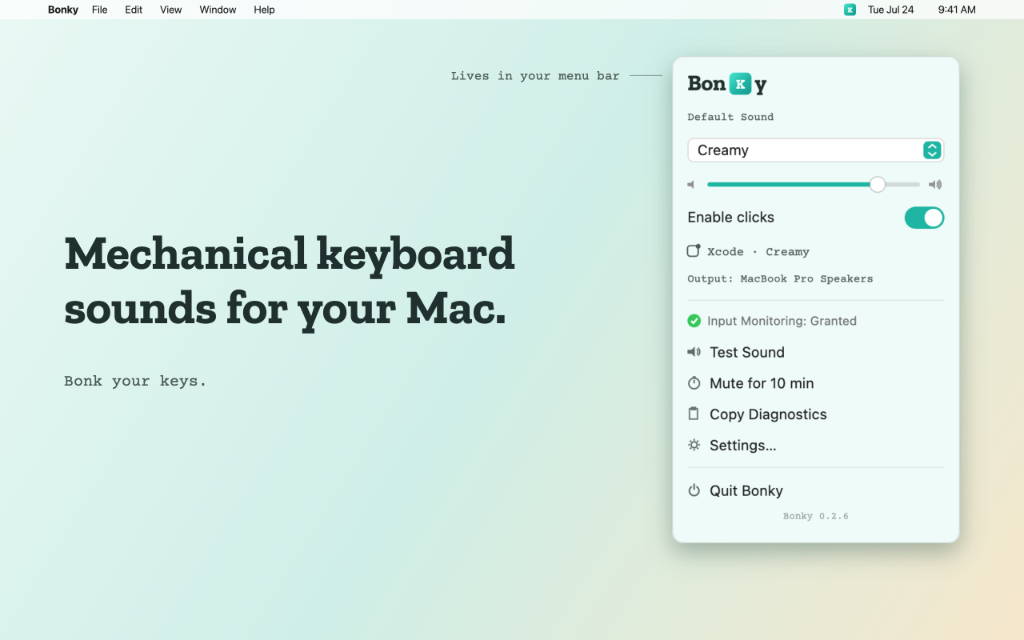
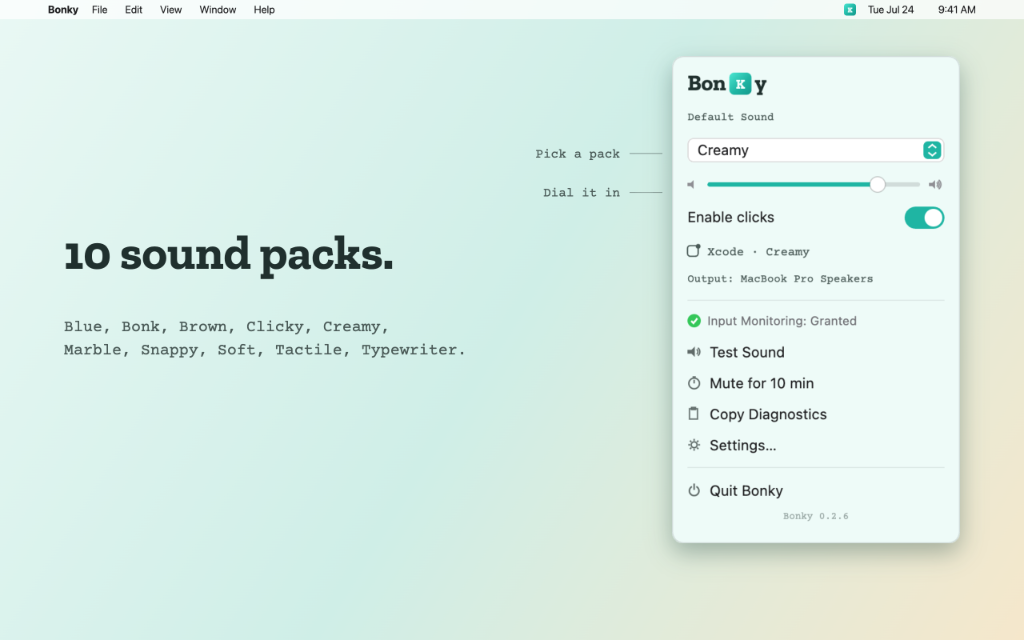
Loudness-normalized and hand-tuned — the ten below, plus two more. Switch profiles seamlessly without volume spikes.
Unlike primitive key clickers, Bonky runs a smart desktop context pipeline.
Configure different sound packs and custom volume values per application. Enjoy thocky clacks in your terminal and soft silences in browsers.
Automatic silencing triggers dynamically the moment you join video calls, screen-shares, or when your microphone input goes live.
One-tap snoozing from your menu bar shuts the app up immediately with a live countdown display, perfect for quick unscheduled chats.
Every single sound file is precision loudness-matched. Switching profiles will never blast your speakers or drop to whispers.
Zero logging, zero networking permissions, and zero tracking code. Operates strictly via local passive key input monitoring.
Download our installers below for macOS or Windows.
One licence key works on both Windows and macOS.