// bonk your keys
K

Bonky. Bonk your keys.

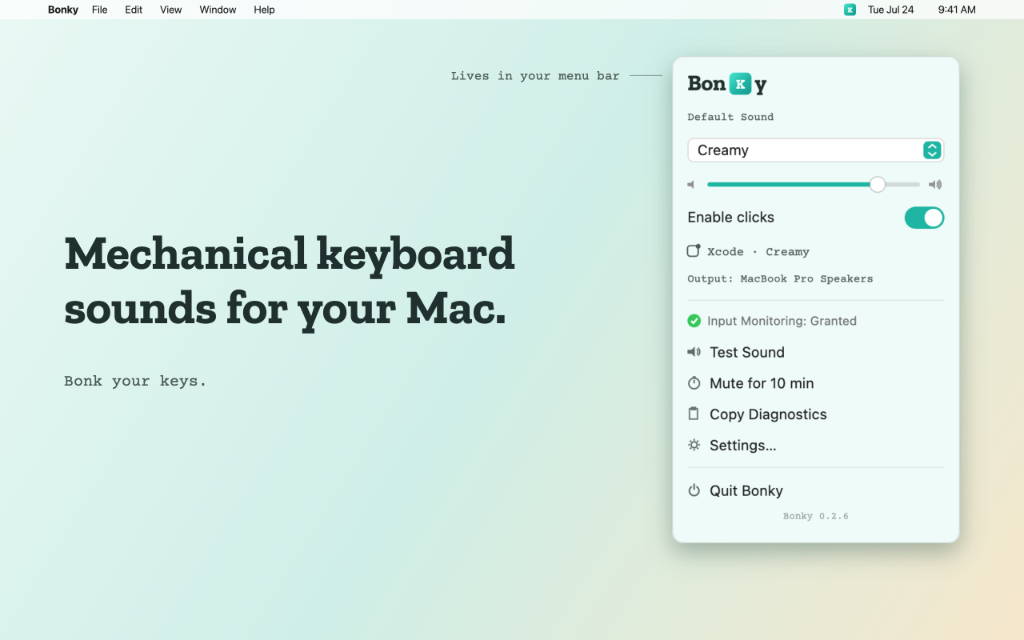
ASMR keyboard sounds for your Mac and Windows PC, with a brain.

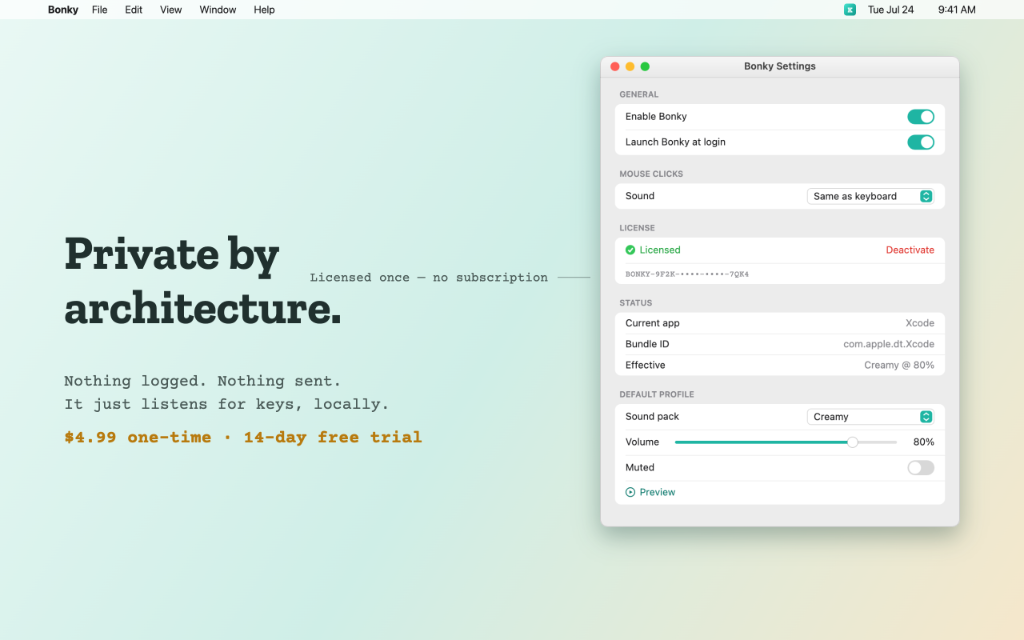
Bonky turns every keystroke on your Mac or Windows PC into a satisfying ASMR keyboard sound, with near-zero latency and 28 hand-tuned sound packs. Unlike other click apps, Bonky is context-aware: it knows which app you're in and automatically shuts up whenever your mic is live, so video calls stay quiet. Lives quietly in your menu bar. Your keystrokes are never logged or sent anywhere.

Free 14-day trial for macOS 14 or later. Bonky asks for Input Monitoring so it can play a sound on each key press; it never records what you type. Details and uninstall steps below.

Bonky.app · Control Panel

Select a pack and type on your physical keyboard to hear the sound, or click the virtual keys below.

Q
W
E
R
T
Y
U
I
O
P
A
S
D
F
G
H
J
K
L
Z
X
C
V
B
N
M
[ space ]
Typing feedback on. Press any key to bonk.
// auditory craft

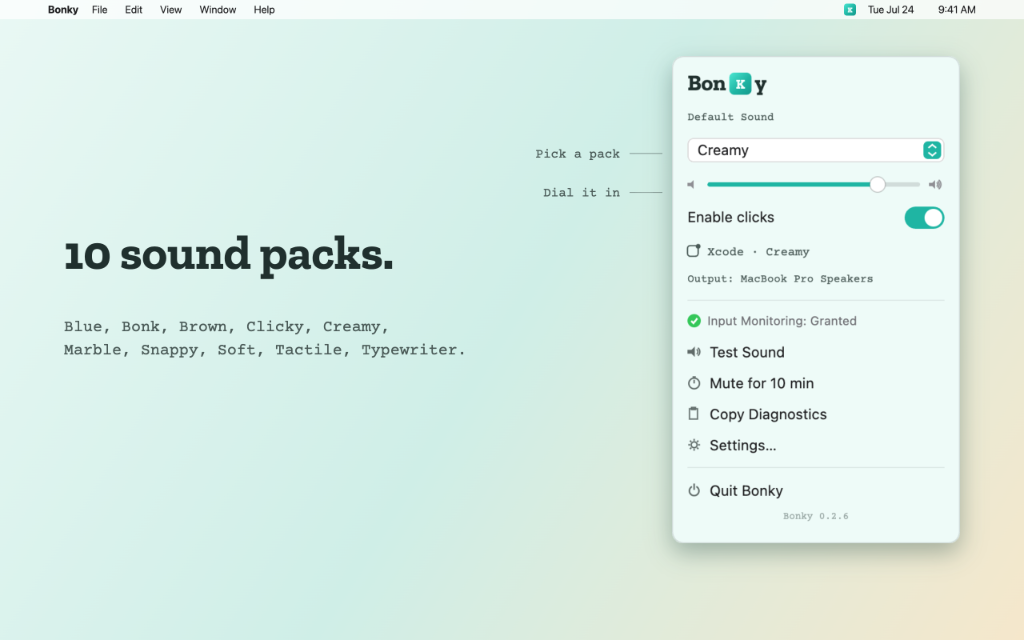
Twenty-eight original sound packs.

Loudness-normalized and hand-tuned, grouped into Mechanical, ASMR, Vintage, Sharp and Fun. Switch profiles seamlessly without volume spikes.

Clicky Blue Tactile Brown Creamy Marble Slime Pillow Chocolate Bite Marshmallow Felt Typewriter Vintage Mallet Snappy Soft Drip Chiclet Crunch Apple Carrot Bonk Crystal Droplet Bubble Ice Chips
// the context engine

How Bonky does it better.

Unlike primitive key clickers, Bonky runs a smart desktop context pipeline.

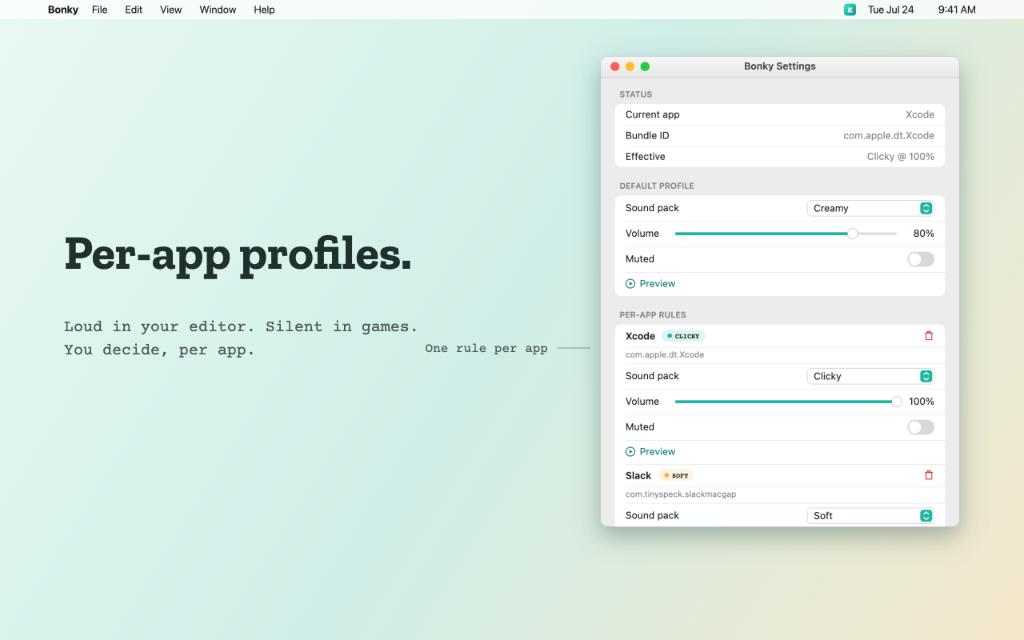
Per-App Profiles

Configure different sound packs and custom volume values per application. Enjoy thocky clacks in your terminal and soft silences in browsers.

Auto-Mute Contexts

Bonky goes silent the moment your microphone goes live, so video calls stay quiet.

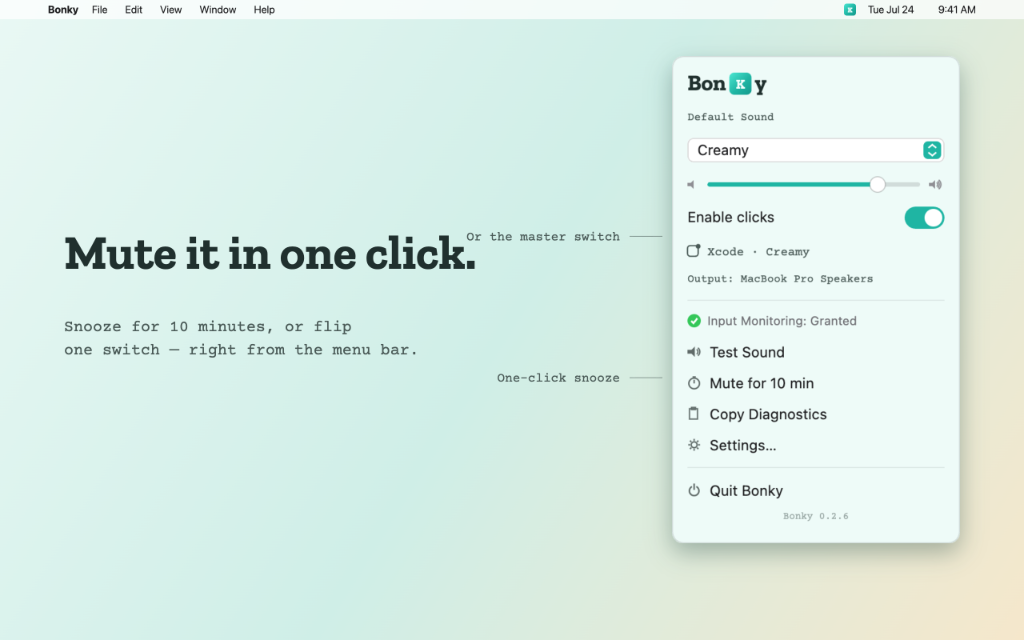
10-Min Snooze Timer

One-tap snoozing from your menu bar shuts the app up immediately with a live countdown display, perfect for quick unscheduled chats.

Loudness Normalization

Every single sound file is precision loudness-matched. Switching profiles will never blast your speakers or drop to whispers.

Privacy As A Feature

Zero logging and zero tracking code. Your keystrokes never leave your computer. The store versions never go online, and the direct download connects only to verify a licence or check for updates.

// universal installers

Bonk your keys. Not your meetings.

Try it free for 14 days on Mac before you buy.

macOS Download

Universal macOS App

Version: v1.3.2 Compatibility: macOS 14 Sonoma or later File Size: 3 MB
Download free 14-day trial (macOS) Buy Bonky for Mac · ₹1,499 / $14.99

Direct download from this site: codejainfotech.com/downloads/Bonky.dmg (Bonky 1.3.2 for macOS, 2.9 MB disk image, signed and notarized by Apple). No installer wrapper and no redirects.

One-time payment, no subscription or recurring charges. Payments are processed by Razorpay (India) or PayPal (international).

Before you install: Bonky asks for macOS Input Monitoring permission so it can play a sound when you press a key. It only listens (it cannot change or create input), uses physical key codes and never records what you type; nothing is logged, stored or sent. It doesn’t start at login unless you turn that on in its settings. It connects to the internet only to verify a licence key and to check for updates. To uninstall, choose Uninstall Bonky… in its settings, which removes it and everything it stored (full steps in the FAQ).

Windows

Windows Desktop App

From: Microsoft Store, signed by Microsoft Compatibility: Windows 10 (1809 or newer) / 11, 64-bit Trial: none on Windows; 14-day trial on Mac
Get Bonky on the Microsoft Store →

Sold and installed by the Microsoft Store (Microsoft is the seller for Windows). Bonky uses the standard Windows keyboard and mouse hooks to play a sound on each press and never records what you type. Uninstall from Settings › Apps. A licence bought on this site is for the Mac app.

The Mac app is signed with an Apple Developer ID and notarized by Apple. The Windows app comes from the Microsoft Store, signed by Microsoft. By installing Bonky you agree to our licence terms and the Bonky privacy policy.
Bonky is published by Codeja Infotech, Pune, India · support@codejainfotech.com · +91 90961 05274

Android · coming if you want it

Want Bonky on your phone?

Leave your email and we'll write once, when Bonky for Android launches. Nothing else, no newsletter.

verified privacy policy

Bonky listens passively (Input Monitoring, never Accessibility), plays a sound, and forgets. No keystrokes are logged, saved, or sent anywhere, ever. The Microsoft Store and Mac App Store builds make no network connections at all; the direct-download build's only network use is optional license activation and update checks, detailed in the privacy policy.

// queries

Frequently Asked Questions

Why does Bonky ask for Input Monitoring instead of Accessibility? +
Accessibility permissions allow software to inject keystrokes, manipulate windows, and read UI text. Bonky does none of that. It uses physical key codes only, never what you type, through the standard macOS Input Monitoring APIs, which is safer, more private, and has lower latency.
How does the Smart Context engine detect mic usage? +
Bonky queries the native CoreAudio framework to check if the default input device (microphone) is currently receiving a live record stream. This operates locally on your machine without querying any external cloud services.
Can I add my own sound packs? +
Not at the moment. Bonky ships with 28 hand-tuned, loudness-matched packs, and the Windows version adds two more.
What does Bonky access, and what does it change on my computer? +
Bonky needs to notice when you press a key or click so it can play a sound. On macOS it asks for Input Monitoring permission; on Windows it uses the standard keyboard and mouse hooks that apps like this rely on. It never records what you type: nothing is logged, stored or sent. Bonky lives in your menu bar or system tray. It only starts when you log in if you turn that on in its settings.
How do I uninstall Bonky? +
On macOS, open Bonky’s settings and choose Uninstall Bonky…: it turns off start at login, deletes its settings and saved data, moves Bonky to the Trash, and shows you how to remove it from System Settings › Privacy & Security › Input Monitoring. On versions before 1.3.2, quit Bonky, drag it from Applications to the Trash, delete ~/Library/Application Support/Klacky and ~/Library/Preferences/com.codeja.Bonky.plist, and remove Bonky from Input Monitoring. On Windows, open Settings › Apps › Installed apps, find Bonky and choose Uninstall. The Microsoft Store and Mac App Store versions remove their settings automatically.
Where do I get the Windows version? +
Only from the Microsoft Store, where Microsoft signs it and sells it. A licence bought on this site is for the Mac app.
// more from Codeja

Also built by Codeja